To join a virtual visit through the app:
- Sign into your account by heading to member.livarahealth.com or by opening the app from your iOS or Android device (If you don't have the app installed, see this article)
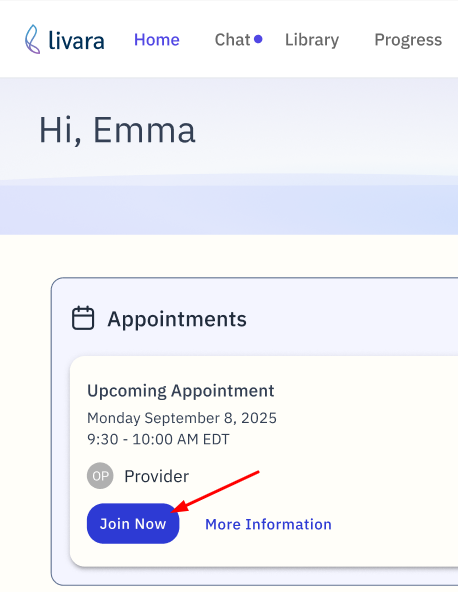
- Navigate to your appointment on the home screen
- Tap the button that says "Join Appointment"
You will be directed to a virtual waiting room. Your provider will join shortly.
Was this article helpful?
That’s Great!
Thank you for your feedback
Sorry! We couldn't be helpful
Thank you for your feedback
Feedback sent
We appreciate your effort and will try to fix the article